
Appearance
Setup & Admin
Setup (the sidebar's Setup item, /setup) is where you configure the whole store. It's organised into tabs.
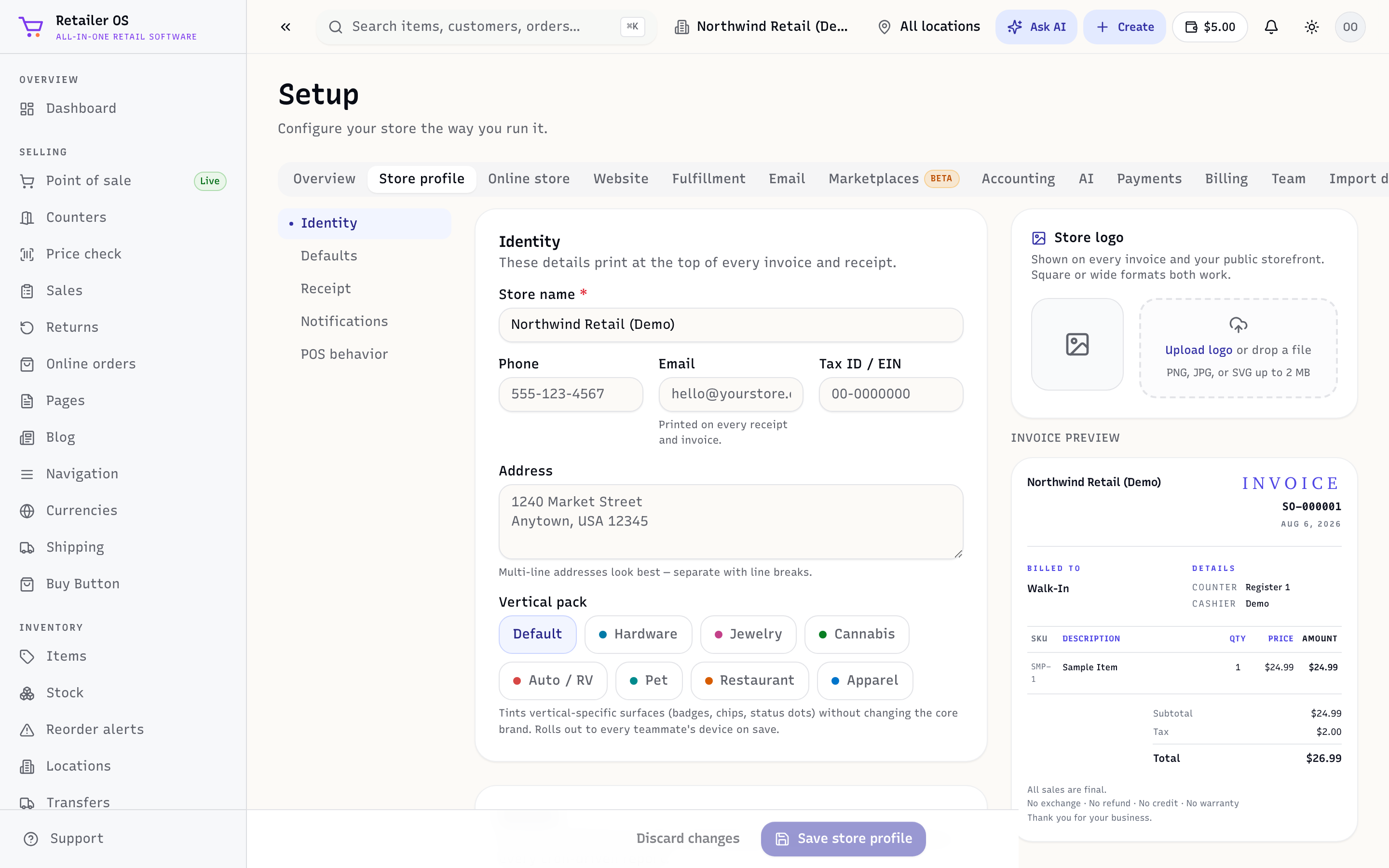
The tabs
| Tab | What it controls |
|---|---|
| Store profile | Identity, defaults, receipt layout, notifications, and POS behaviour. |
| Online store | Turn the storefront on; delivery and pickup options; your Google Shopping and Meta product feed URLs. |
| Website | Theme, pages, and your custom domain. |
| Fulfillment | How online orders are picked, packed, and shipped. |
| Sending settings for receipts and campaigns. | |
| Marketplaces | Connect Amazon and eBay (beta). |
| Accounting | Connect QuickBooks Online. Each day, Retailer OS sends QuickBooks a summary journal entry per channel (sales, tax, fees, and cost of goods), plus received purchase orders as bills. Your books stay in QuickBooks: Retailer OS has no general ledger of its own. |
| AI | The Ask AI assistant, AI feature usage, and per-feature limits. |
| SMS | Your store's own text number for texting and calling customers. Only the owner can set it up. |
| Payments | Connect a card processor for in-store and online payments, pair card readers, and connect a cash drawer. |
| Billing | Your Retailer OS plan — stores, users, add-ons, and optional Messaging and AI plans — plus storage and invoices. See Payments & billing. |
| Team | Users, roles, and permissions. See Team & roles. |
| Import data | Bring in items, customers, and stock from a spreadsheet. |
| System events | A log of what's happened in your store. |
Store time zone
Your store's time zone decides when each day starts and ends. You'll find it under Setup → Store profile, in the Defaults section (Timezone). Retailer OS uses it for:
- the Daily report and its end-of-day totals
- "today" and the last 7 days on the Dashboard
- sales reports, their date ranges, and anything grouped by day or hour, such as the Hourly Heatmap and reports you ask for in plain English
- same-store sales periods and the seasonal part of demand forecasts
- scheduled report emails and the daily digest: which day is "yesterday", and when they go out (the digest at 7 am)
- daily checks such as loss-prevention flags (6 am), price suggestions (8 am), and the reorder alerts email (9 am)
- the dates and times on receipts, invoices, order emails, and notifications
Until your store has a time zone, scheduled emails and daily checks run on UTC.
A new store gets the time zone of the browser you sign up with. If your store was set up before that, owners and admins see Your store's time zone looks like … at the top of the app, with the time zone of the device they're using:
- Confirm saves it.
- Choose another opens the list of time zones. Pick yours and tap Save.
- Not now hides the question for now. It comes back the next time you open Retailer OS.
Once someone confirms or picks a time zone, even UTC, nobody is asked again. Cashiers never see the question. You can change the time zone any time in Setup → Store profile.
Admin sub-screens
Beyond the tabs, admins have: API keys (/setup/api-keys), Webhooks (/setup/webhooks), Data exports (/setup/data-exports), Feature flags (/setup/feature-flags, optional features you can switch on or off; a flag marked "Set by RetailerOS" is managed by us and can't be changed here), and Hardware (/setup/hardware), the list of your registered devices. See Hardware & cash drawer. There's also a store-wide Audit log (/audit).
First things to set up
- Store profile — name, receipt, and defaults.
- Payments — so you can take cards.
- Locations — one per shop/warehouse (in Inventory).
- Team — invite staff and set their roles.