
Appearance
Email campaigns
▶ Watch — a quick walkthrough of email campaigns
Email (/crm/campaigns) lets you reach your customers directly — one-off campaigns and automated flows — using the purchase history you already have in Retailer OS.
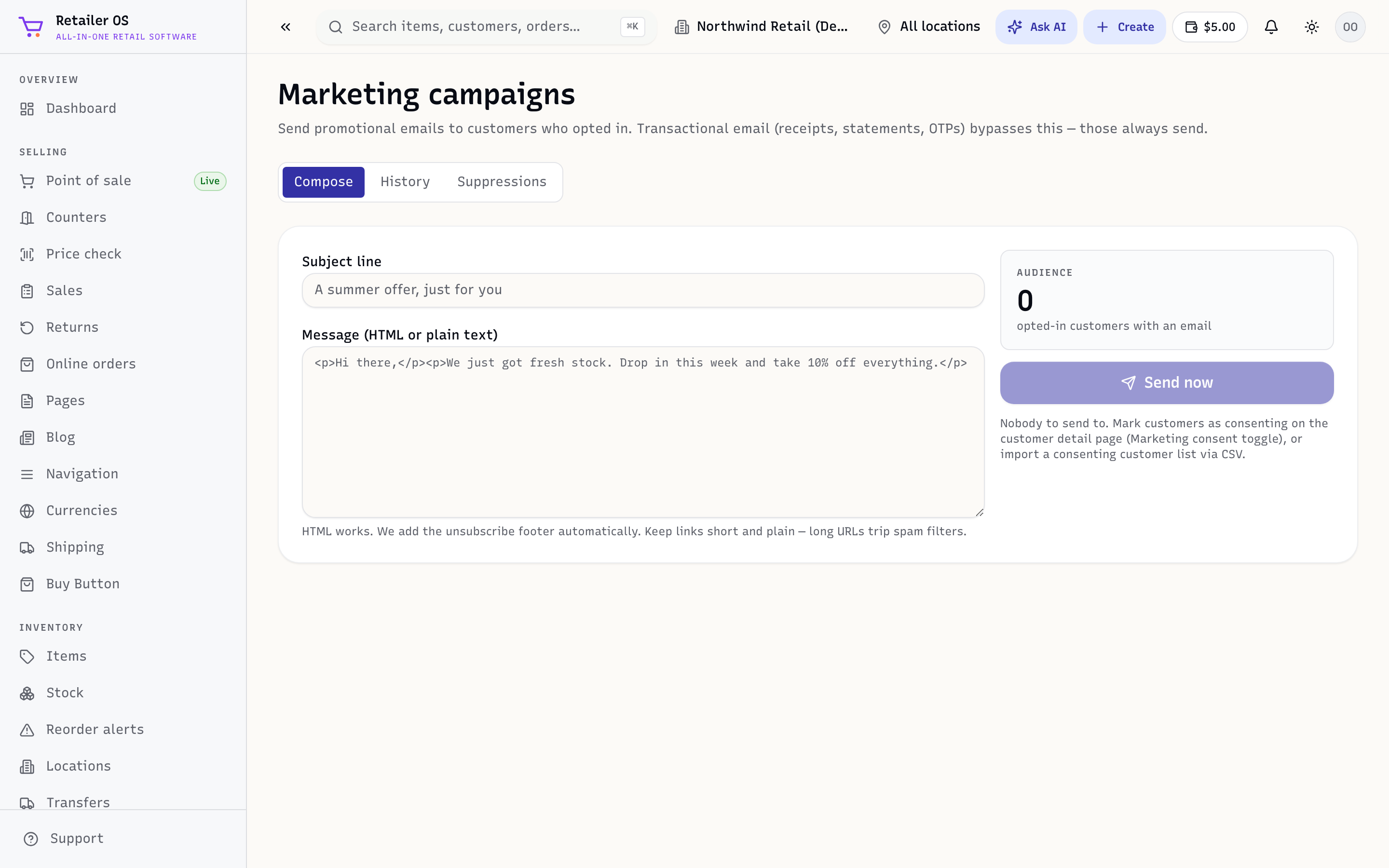
Send a campaign
- Open Email and create a campaign.
- Choose who it goes to — your whole list or a segment (for example, top customers or people who bought a category).
- Write the subject and message.
- Review and send (or schedule).
Automated flows
Beyond one-off sends, email flows (/crm/email-flows) trigger automatically — for example a welcome to a new customer, or a nudge to someone who hasn't been back in a while. Set them up once and they run on their own.
Grounded in your data
Because email lives in the same system as sales, your segments are based on real purchase behaviour — not a separate list you have to keep in sync. Reviews and Q&A from your storefront come back into Reviews & Q&A to close the loop.
NOTE
Sending settings (from-address and deliverability) are configured under Setup → Email. See Setup & Admin.
TIP
To send by SMS as well as email, attach an online deal, and track the sales each campaign brings in, use Campaign Studio.
Related
- Customers · Promotions & Loyalty · Reports (top customers)